Services
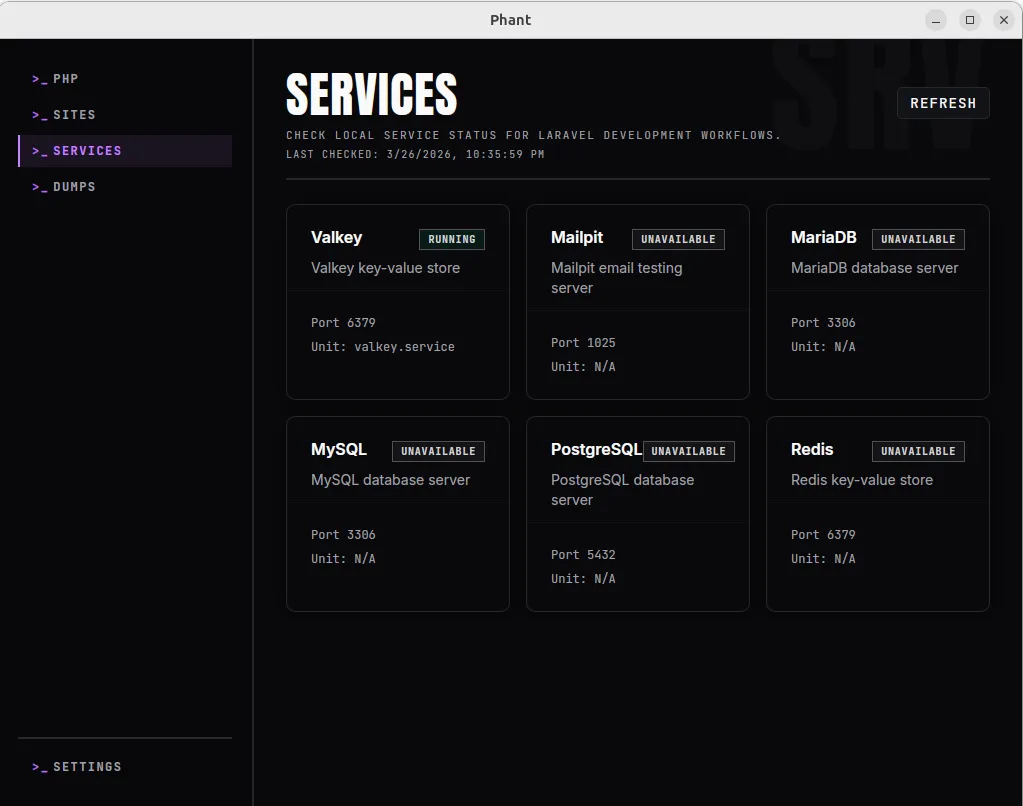
Use the Services page to inspect the current status of common local development services from one place.
Phant presents this as a status and inspection view. It helps you understand what is running, stopped, or unavailable on your machine, but it is not intended to replace your system service tools.
What Phant shows
Section titled “What Phant shows”The current service set includes:
- PostgreSQL
- MySQL
- MariaDB
- Redis
- Valkey
- Mailpit
For each detected service, Phant can show:
- service name
- short description
- current state
- detected port
- related system unit when available
States are shown as:
RunningStoppedUnavailable
Open the Services page
Section titled “Open the Services page”Open Services from the main navigation.
Use Refresh whenever you want a fresh machine status snapshot.
How to use it
Section titled “How to use it”The Services page is most useful as a quick operational check.
Use it when you want to answer questions like:
- Is my database server running?
- Is Redis or Valkey available right now?
- Is Mailpit up on this machine?
- Did a service stop after I changed something in my environment?
Recommended workflow
Section titled “Recommended workflow”- Open
Services. - Review the services marked as
Runningfirst. - Check any service marked as
Stoppedif your project depends on it. - Treat
Unavailableas not installed, not detected, or not discoverable through the current system view. - Refresh after making changes outside Phant.
What the states mean
Section titled “What the states mean”Running
Section titled “Running”The service was detected and is active.
Stopped
Section titled “Stopped”The service unit exists, but it is not currently active.
Unavailable
Section titled “Unavailable”Phant could not confirm the service as installed or discoverable in the current environment.
This does not always mean something is broken. It can also mean the service is not installed, not managed in the expected way, or not available through the current discovery path.
Troubleshooting
Section titled “Troubleshooting”A service I expect is shown as stopped
Section titled “A service I expect is shown as stopped”Check whether:
- the service is actually running outside Phant
- your system service manager reports it as active
- the project is using that exact service and not an alternative
A service is shown as unavailable
Section titled “A service is shown as unavailable”Check whether:
- the service is installed on the machine
- the service is managed through the expected system service tooling
- the machine exposes the service in a way Phant can discover
The status looks outdated
Section titled “The status looks outdated”Use Refresh after you change anything outside the app.